Login & Registration
Learn how to access the LKG Billing application and create your account.
🔐 Accessing the Application
The LKG Billing login page is your gateway to all the powerful features of the application.
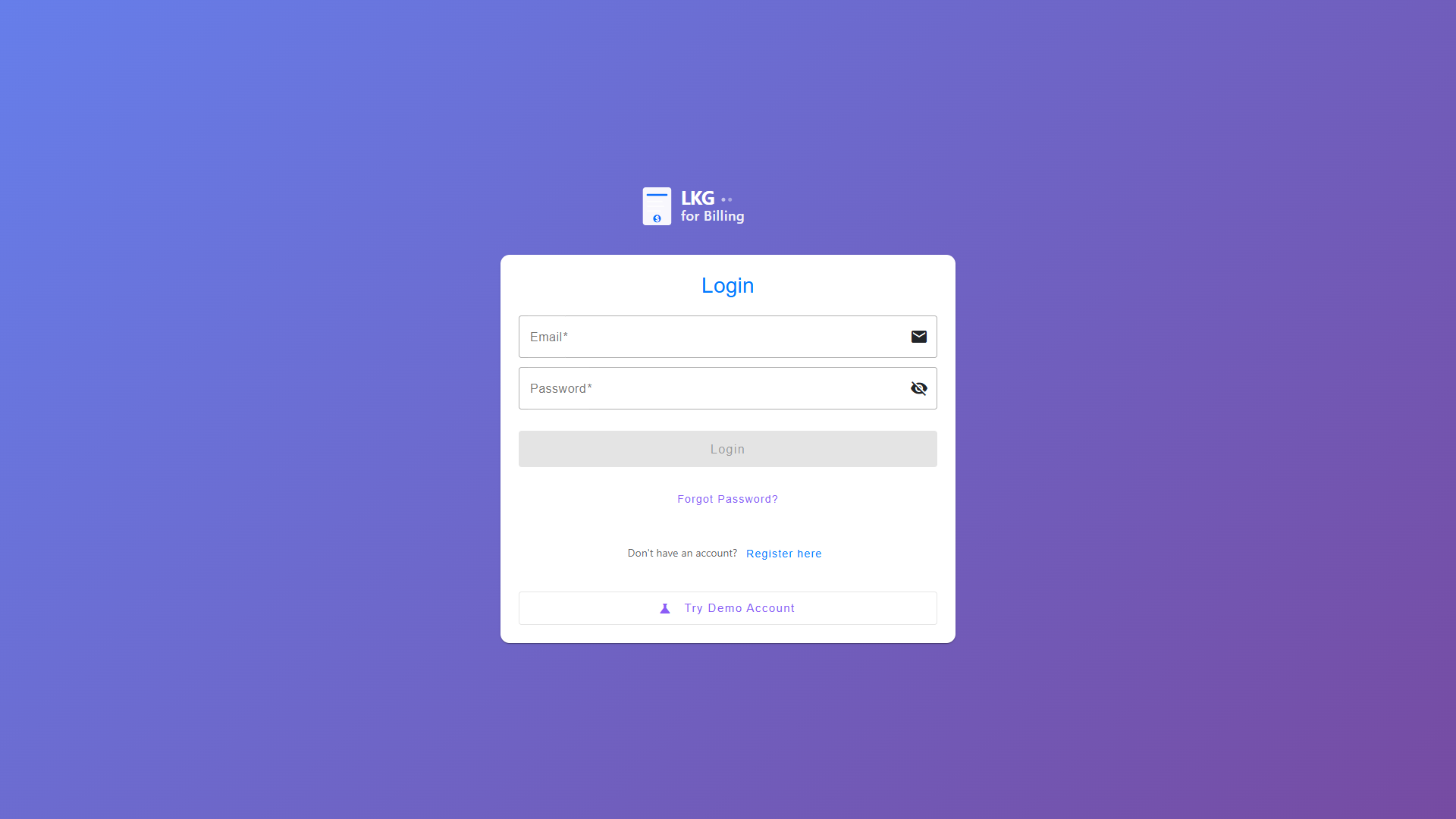
Login Page Features
The login page provides:
- Email/Password Login - For registered users
- Demo Mode Access - Try the application without registration
- Registration Link - Create a new account
- Password Visibility Toggle - Show/hide your password
🎭 Demo Mode (Recommended for First-Time Users)
The easiest way to explore LKG Billing is using the Demo Mode. No registration required!
###Steps to Access Demo Mode
- Navigate to the login page
- Click the "Demo" button
- You'll be automatically logged in with sample data
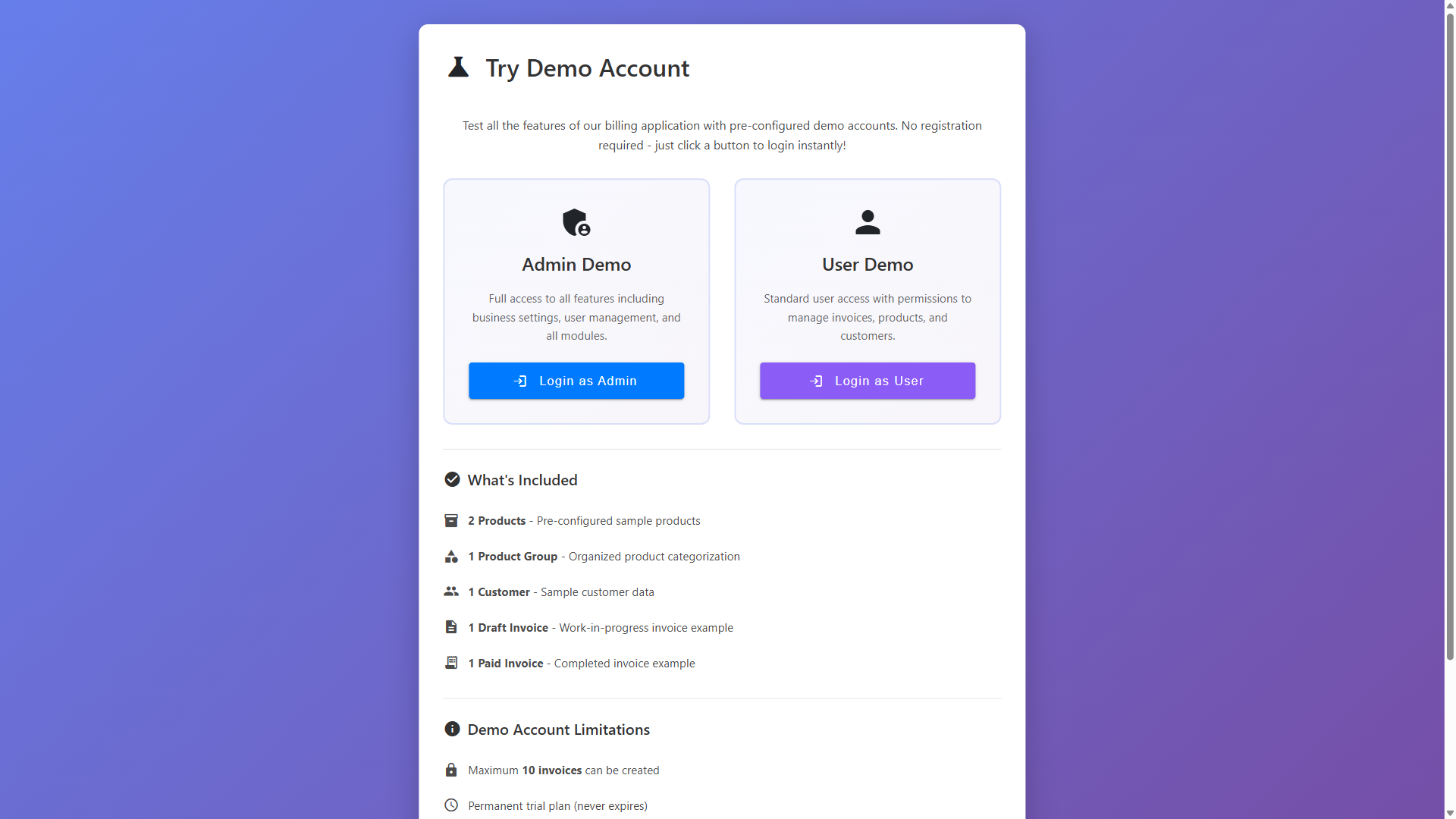
Demo Mode includes:
- Pre-populated customers
- Sample products and services
- Example invoices
- Payment records
- Full access to all features
All changes made in demo mode are temporary and will not affect real data. It's perfect for learning and testing!
📝 Creating a New Account
If you want to use LKG Billing for your business, you'll need to create an account.
Registration Steps
-
Click the "Register" or "Sign Up" link on the login page
-
Fill in the registration form with:
- Business Name: Your company or business name
- Email Address: Your work email (used for login)
- Password: Create a strong password
- Confirm Password: Re-enter your password
- Phone Number (optional): Contact number
- Business Details (optional): Address, tax ID, etc.
-
Accept the terms and conditions
-
Click "Create Account" or "Register"
-
Check your email for verification (if enabled)
-
Log in with your new credentials
Password Requirements
Your password must meet these security requirements:
- ✅ At least 8 characters long
- ✅ Contains uppercase letters (A-Z)
- ✅ Contains lowercase letters (a-z)
- ✅ Contains numbers (0-9)
- ✅ Contains special characters (!@#$%^&*)
Example strong password: MyBusiness@2024!
🔑 Logging In with Your Account
Once you have an account:
- Enter your email address
- Enter your password
- (Optional) Click the eye icon to show/hide password
- Click "Login" or "Sign In"
Sample Login Credentials (for testing)
If you're testing the application, you can use:
- Email:
demo@lkgforbilling.com - Password:
Demo@123
Never share your actual business credentials. The demo credentials above are for testing purposes only.
🔒 Forgot Password?
If you forget your password:
- Click the "Forgot Password?" link
- Enter your registered email address
- Check your email for a password reset link
- Click the link and create a new password
- Log in with your new password
❓ Login Issues & Troubleshooting
Problem: "Invalid email or password" error
Solutions:
- Double-check your email address for typos
- Ensure Caps Lock is off
- Try the "Show Password" toggle to verify your password
- Use the "Forgot Password" link to reset
Problem: Login button is disabled
Solutions:
- Make sure both email and password fields are filled
- Ensure email format is valid (contains @)
- Check that password meets minimum requirements
Problem: Page not loading
Solutions:
- Check your internet connection
- Try refreshing the page (F5 or Ctrl+R)
- Clear browser cache and cookies
- Try a different browser
🎯 Next Steps
After logging in, you'll be directed to the:
- Dashboard - Your application home page
From there, you can start:
Ready to explore? Click Next to learn about the Dashboard! 👉